


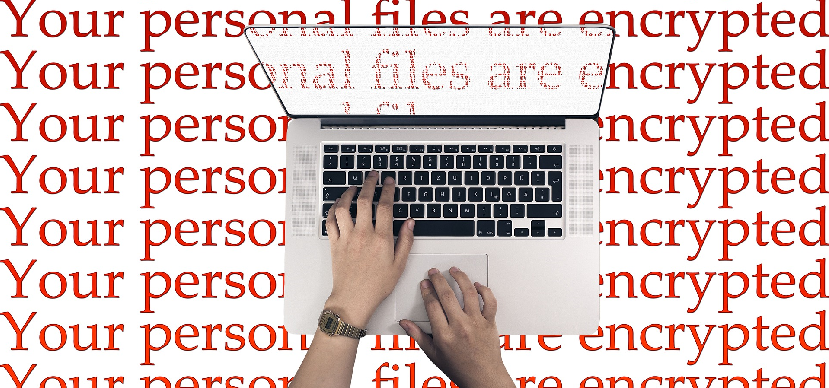
Malicious hackers are attacking more and more frequently and threatening all types of businesses, especially cities, hospitals, and schools. According to Malwarebytes, ransomware detection increased by 363% over the past year. No more access to private data, emails, phones, management systems, delivery systems, payment systems, etc. This ransomware takes companies' IT systems hostage and only releases them once a ransom has been paid. In an interview with the New York Times in August, Eli Sugarman, who heads the Hewlett Foundation's cybersecurity programme, said: ‘We're seeing more ransomware attacks because they work.’ Swiss organisations under attack Switzerland is not immune to the growing threat of ransomware. Proof of this is that the Swiss Federal Office for Information Security (MELANI), the Swiss government agency active in the field of cybersecurity, has already warned companies twice this year following waves of cyber attacks. The costs of these attacks should not be underestimated. For example, Meier Tobler, a Swiss listed company, suffered a total shutdown for four days in July. As a result, it incurred an estimated loss of turnover of CHF 5 million, as well as exceptional costs of CHF 1 to 2 million related to combating the attack, which affected its annual results. According to a global study conducted by Sophos in 2018, the average cost of an attack was CHF 130,000. Cyber insurance To address this new type of risk, more and more insurance policies are being offered against cyber attacks. However, insurers offer various types of cover with different approaches: their products are well designed, but exclusions set out in the General Terms and Conditions of Insurance (GTC) could be invoked when a claim is made. Some insurers are willing to offer favourable rates and waive some of these exclusions if guarantees can be provided regarding security measures, updates, maintenance and password usage practices. Let our team of IT infrastructure and data protection experts help you take immediate steps to secure your data. We have long-standing expertise and apply best practices to ensure the security of your data and that of your organisation, both on-site and in the cloud. We can check whether you comply with your insurer's data security requirements. Please do not hesitate to contact us.

Your organisation may need you to implement strict controls on how Teams are named and classified, on the ability to add guests as team members, and on who can create teams. Here are the top 9 questions to ask yourself about how to manage Microsoft Teams for your organisaDoes your organisation need a specific naming convention for teams? Should team creators be able to assign organisation-specific classifications to teams? Should you restrict the ability to add guests to teams on an individual basis? Should your organisation limit the number of people who can create teams? Does your organisation require teams to have an expiry date? Does your organisation require specific data retention policies to be applied to teams? Does your organisation plan to require the ability to archive inactive teams to preserve read-only content? Does your organisation require limiting team functionality across your tenant? Does your organisation require Teams features to be restricted to certain users? We can help you determine your team management and governance needs to keep your data secure. Let our team of IT infrastructure and data protection experts help you take the first steps towards complying with the data protection requirements that apply to your organisation. We have long-standing expertise, methodologies and practical tools to provide a simple and effective solution for your cloud computing and on-site backup needs. We can verify whether you are compliant with your insurer's data security requirements. Please do not hesitate to contact us.
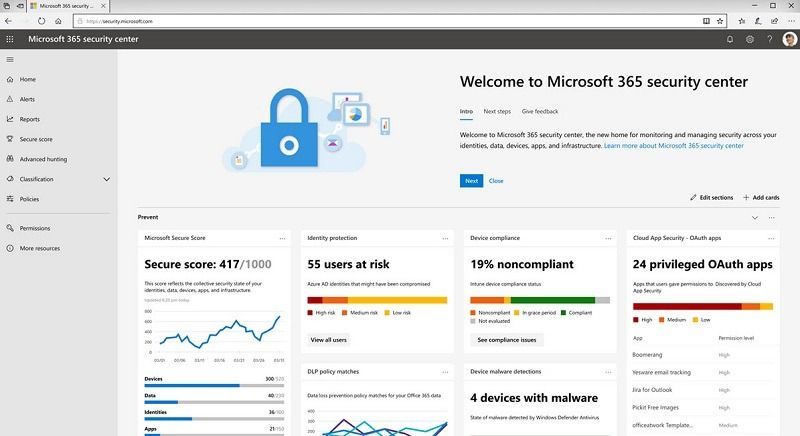
Is your Office 365 configured securely?

Les entreprises se tournent vers le cloud pour permettre aux employés de collaborer plus efficacement, d’être plus productifs et de travailler depuis n’importe quel appareil. Microsoft Office 365 facilite l'environnement de travail moderne et contribue à réduire les coûts d'infrastructures et des services IT. En parallèle, il est important que les organisations qui adoptent Office 365 comprennent la nécessité d'ajouter une solution de sauvegarde tierce pour protéger les données de leur organisation. Voici 5 raisons pour lesquelles la sauvegarde par un tiers est indispensable pour toutes les données Microsoft Cloud, notamment Exchange Online, Sharepoint Online, Teams et OneDrive. 1. Microsoft héberge vos données mais ne protége pas des erreurs humaines. Microsoft Office 365 est une excellente plate-forme qui facilite le partage et la coédition simultanée du même document par vos collègues dans Sharepoint Online, Teams et OneDrive. Malheureusement, l’environnement collaboratif facilite également la suppression, la modification ou le déplacement accidentel de fichiers. En fait, l’erreur humaine est la première cause de tous les incidents de perte de données. Microsoft s'engage contractuellement à ne pas consulter, modifier ou accéder à vos données. Par conséquent, ils n'ont aucun moyen de savoir si la modification ou la suppression a été effectuée intentionnellement ou non. 2. Microsoft propose une période de rétention courte, pas un service de sauvegarde. Vous ne pouvez donc pas toujours récupérer vos données. Alors qu'Office 365 dispose de méthodes pour conserver les fichiers, les courriers électroniques ou les boîtes aux lettres supprimées, les données ne peuvent être conservées que temporairement, en fonction des politiques appliquées aux données. En outre, les données ne sont pas récupérables facilement. Une fois la période de rétention expirée (généralement 30 jours), vous ne pourrez peut-être pas restaurer ces données supprimées. Par conséquent, les capacités de sauvegarde et de récupération tierces constituent le seul moyen pour votre organisation de s’assurer qu’elle est entièrement protégée contre la perte de données. 3. Les pirates sont présents à l'extérieur et même parfois à l'intérieur de votre organisation. Lorsque votre entreprise place ses précieuses données dans le cloud, elle doit prendre des mesures supplémentaires pour protéger ces données contre les utilisateurs mal intentionnés susceptibles de modifier, de chiffrer ou de supprimer de manière malveillante des données stratégiques. Grâce à la sauvegarde et à la restauration tierces, les entreprises peuvent être assurées que les données perdues en raison d'un hacktivisme ou d'employés mécontents ne seront pas perdues pour toujours. 4. Les auditeurs sont vigilants vis-à-vis du cloud. Vos auditeurs souhaitent vérifier que votre entreprise respecte à la fois la gouvernance informatique et les exigences réglementaires, que les données soient dans le cloud ou sur site. Par conséquent, il est important que les entreprises de toutes tailles fassent preuve de la vigilance requise pour s’assurer que vos données hébergées dans le cloud, respectent vos exigences de conformité. Les utilisateurs ne doivent avoir accès qu'aux ressources minimales dont ils ont besoin (le «moindre privilège») et l'accès aux données sensibles doit être limité. Vous devez créer un modèle de gouvernance qui aligne l'accès aux applications et aux données en fonction des besoins de l'entreprise. C’est là que les outils de gouvernance d’identité et d’accès aux données peuvent contribuer à empêcher les utilisateurs d’obtenir un accès inapproprié et automatiser les processus de révision et de surveillance d'accès utilisateurs. 5. Une exigence : la restauration des données perdues rapidement. Dans le cloud collaboratif actuel, il n’est pas suffisant de récupérer des données perdues. Votre organisation doit pouvoir restaurer rapidement ces données à partir d’un moment bien défini. Avec la possibilité de revenir en arrière, les entreprises peuvent éviter de perdre du temps à recréer des données inutiles. Laissez notre équipe d'experts en infrastructure informatique et en protection des données vous aider à franchir les premières étapes pour vous conformer aux exigences de protection des données applicables à votre organisation. Nous disposons d'une expertise de longue date, de méthodologies et d'outils pratiques.

Les hackers malveillants attaquent de plus en plus fréquemment et menacent tous types d’entreprises, en particulier les villes, les hôpitaux et les écoles. Selon Malwarebytes, lors de l'année écoulée, la détection de rançongiciels a augmenté de 363%. Plus d’accès aux données privés, aux e-mails, au téléphone, au système de gestion, de livraison, de paiement, … Ces rançongiciels prennent en otage les systèmes informatiques des entreprises et ne les libèrent qu’au paiement d’une rançon. Dans un interview accordé au New York Times en août, Eli Sugarman, qui est à la tête du programme de cybersécurité de Hewlett Foundation, a dit: "Nous voyons plus d'attaques de rançongiciels parce qu'elles marchent". Organisations suisses attaqués La Suisse n’est pas épargnée face à la menace grandissante des rançongiciels (en anglais, ransomwares). La preuve en est que la Centrale d’enregistrement et d’analyse pour la sûreté de l’information (MELANI), l’organisme gouvernemental suisse actif dans le domaine de la cybersécurité, a déjà mis en garde les entreprises deux fois cette année à la suite de vagues d’attaques informatiques. Ces attaques représentent des coûts à ne pas sous-estimer. A titre d’exemple, l’entreprise Meier Tobler, une entreprise suisse cotée en bourse, a subi une paralysie totale de 4 jours au mois de juillet. En conséquence : une perte estimée de chiffre d’affaire à 5 millions de francs, ainsi que les coûts exceptionnels liés à la lutte contre l‘attaque de 1 à 2 millions sur le résultat annuel. Selon une étude globale conduite par Sophos en 2018, le coût moyen d’une attaque était de 130'000 CHF. Cyber-assurances Pour faire face à ce nouveau type de risque, de plus en plus d’assurances sont proposés contre les cyberattaques. Seulement, les assureurs proposent diverses couvertures avec des approches différentes : leurs produits sont bons dans leur conception mais des exclusions formulées dans les Conditions Générales d’Assurance (C.G.A.) pourraient être invoquées lors de demande d’indemnisation. Certains assureurs sont disposés à accorder des conditions tarifaires de faveur et à renoncer à certaines de ces exclusions si des garanties pouvaient être apportées quant aux mesures de sécurité, mises à jour, entretien et de pratique d’utilisation des mots de passe. Laissez notre équipe d'experts en infrastructure informatique et en protection des données vous aider à prendre des mesures immédiates pour sécuriser vos données. Nous avons une expertise de longue date et appliquons les meilleures pratiques pour assurer la sécurité de vos données et de celles de votre organisation, sur site et dans le cloud. Nous pouvons vérifier si vous êtes conformes aux exigences définies par votre assureur en matière de securité des données. N'hésitez pas à nous contacter.
Votre organisation peut avoir besoin que vous mettiez en place des contrôles stricts sur la façon dont les équipes Teams sont nommées et classées, sur la possibilité d'ajouter des invités en tant que membres de l'équipe et sur les personnes qui peuvent créer des équipes. Voici les 9 principales questions à vous poser sur la manière de gérer Microsoft Teams pour votre organisation. Votre organisation a-t-elle besoin d'une convention de dénomination spécifique pour les équipes ? Les créateurs d'équipes doivent-ils pouvoir attribuer aux équipes des classifications spécifiques à l'organisation ? Devez-vous limiter la possibilité d'ajouter des invités aux équipes sur une base individuelle ? Votre organisation doit-elle limiter le nombre de personnes pouvant créer des équipes ? Votre organisation exige-t-elle de spécifier une date d'expiration pour les équipes ? Votre organisation exige-t-elle que des politiques spécifiques de conservation des données soient appliquées aux équipes ? Votre organisation prévoit-elle d'exiger la possibilité d'archiver les équipes inactives afin de préserver le contenu en lecture seule ? Votre organisation exige-t-elle de limiter les fonctionnalités des équipes pour l'ensemble de votre tenant ? Votre organisation exige-t-elle de limiter les fonctions Teams à certains utilisateurs ? Nous pouvons vous aider à déterminer vos besoins en matière de gestion et de gouvernance des équipes afin de préserver la sécurité de vos données. Laissez notre équipe d'experts en infrastructure informatique et en protection des données vous aider à prendre les premières mesures pour vous conformer aux exigences de protection des données qui s'appliquent à votre organisation. Nous disposons d'une expertise de longue date, de méthodologies et d'outils pratiques pour fournir une solution simple et efficace à vos besoins en matière de cloud computing et de sauvegarde sur site. Nous pouvons vérifier si vous êtes en conformité avec les exigences de votre assureur en matière de sécurité des données. N'hésitez pas à nous contacter.
Votre Office 365 est-il configuré de manière sécurisée ?